
How flipbooks transform PDFs into interactive digital experiences
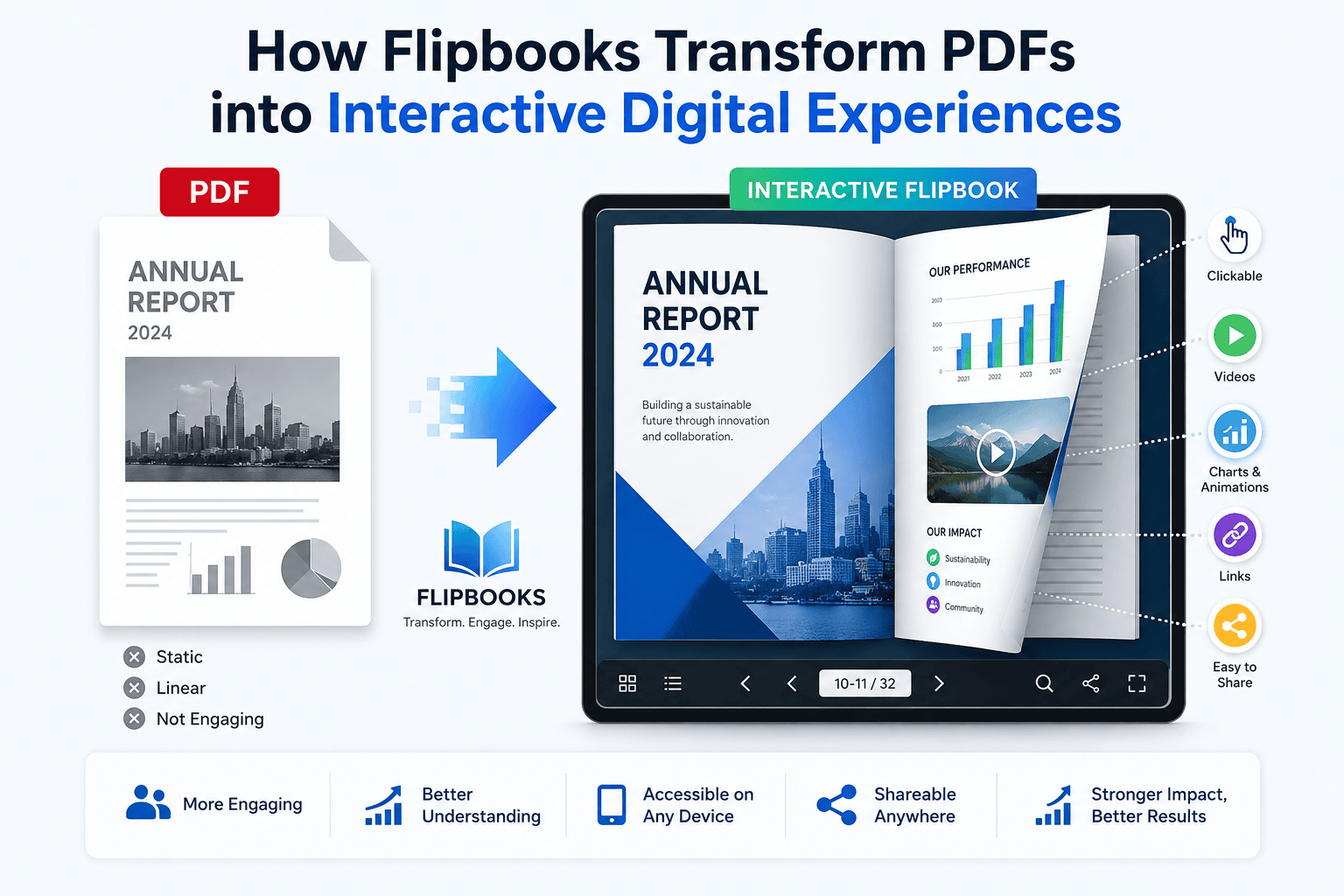
In today’s digital world, static PDFs are no longer enough to keep users engaged. A Flipbook converts traditional documents into interactive, page-turning experiences that feel like real books. From brochures and catalogs to reports and magazines, flipbooks make content more engaging, shareable, and SEO-friendly.
What Is a Flipbook?
A flipbook is a digital publication that simulates the experience of flipping through a physical book. It allows users to turn pages interactively while viewing rich content such as images, videos, links, and animations.
Flipbooks can be embedded on websites, shared via links, or displayed inside virtual tours and landing pages.
How Flipbooks Work
Flipbooks are created by:
- Uploading a PDF or document
- Converting pages into an interactive format
- Adding animations, links, videos, or hotspots
- Publishing as a web-based flipbook
Users can flip pages, zoom in, search text, and navigate easily.
Key Features of Flipbooks
📖 Page Flip Animation
Realistic page-turning effect for a natural reading experience.
🖼️ Rich Content Images
High-quality images enhance visual appeal and storytelling.
🔗 Interactive Links & CTAs
Clickable links, buttons, and call-to-action elements.
📱 Mobile-Friendly Design
Works smoothly across desktop, tablet, and mobile devices.
🌐 Easy Embed & Share
Embed flipbooks on websites or share via a single link.
Why Flipbooks Are Great for SEO
Flipbooks help improve:
- Time on page (users stay longer)
- User engagement (interactive experience)
- Content presentation (structured and visual)
- Shareability (easy to distribute)
SEO keywords such as digital flipbook, interactive flipbook, and online flipbook help boost search visibility.
Best Content Images for Flipbooks
To make your flipbook SEO-friendly and visually appealing, use:
🖼️ Cover Image
- Attractive, high-resolution cover
- Clear title and branding
📄 Page Content Images
- Product images or illustrations
- Infographics and charts
- Lifestyle or contextual visuals
🎥 Media Thumbnails
- Video preview images
- Interactive element icons
🏷️ CTA Images
- Buttons like “Buy Now”, “Download”, or “Contact Us”
Image Optimization Tips:
- Use descriptive file names (e.g., interactive-flipbook-cover.jpg)
- Add alt text for SEO
- Compress images for fast loading
Use Cases of Flipbooks
- Marketing: Brochures, catalogs, brand presentations
- Sales: Product guides and proposals
- Education: E-books, study material, reports
- Real Estate: Property brochures
- Corporate: Annual reports and manuals
Flipbook vs PDF
| Feature | Flipbook | |
| Interactivity | High | Low |
| Engagement | High | Medium |
| Page-turn effect | Yes | No |
| Embed on website | Yes | Limited |
| SEO potential | Better | Limited |
Best Practices for SEO Flipbooks
- Use keyword-rich titles and headings
- Add text content along with images
- Optimize images with alt tags
- Embed flipbooks within SEO-friendly pages
- Avoid large file sizes