
Explore Spaces Like Never Before with Virtual Tour Dollhouse Views
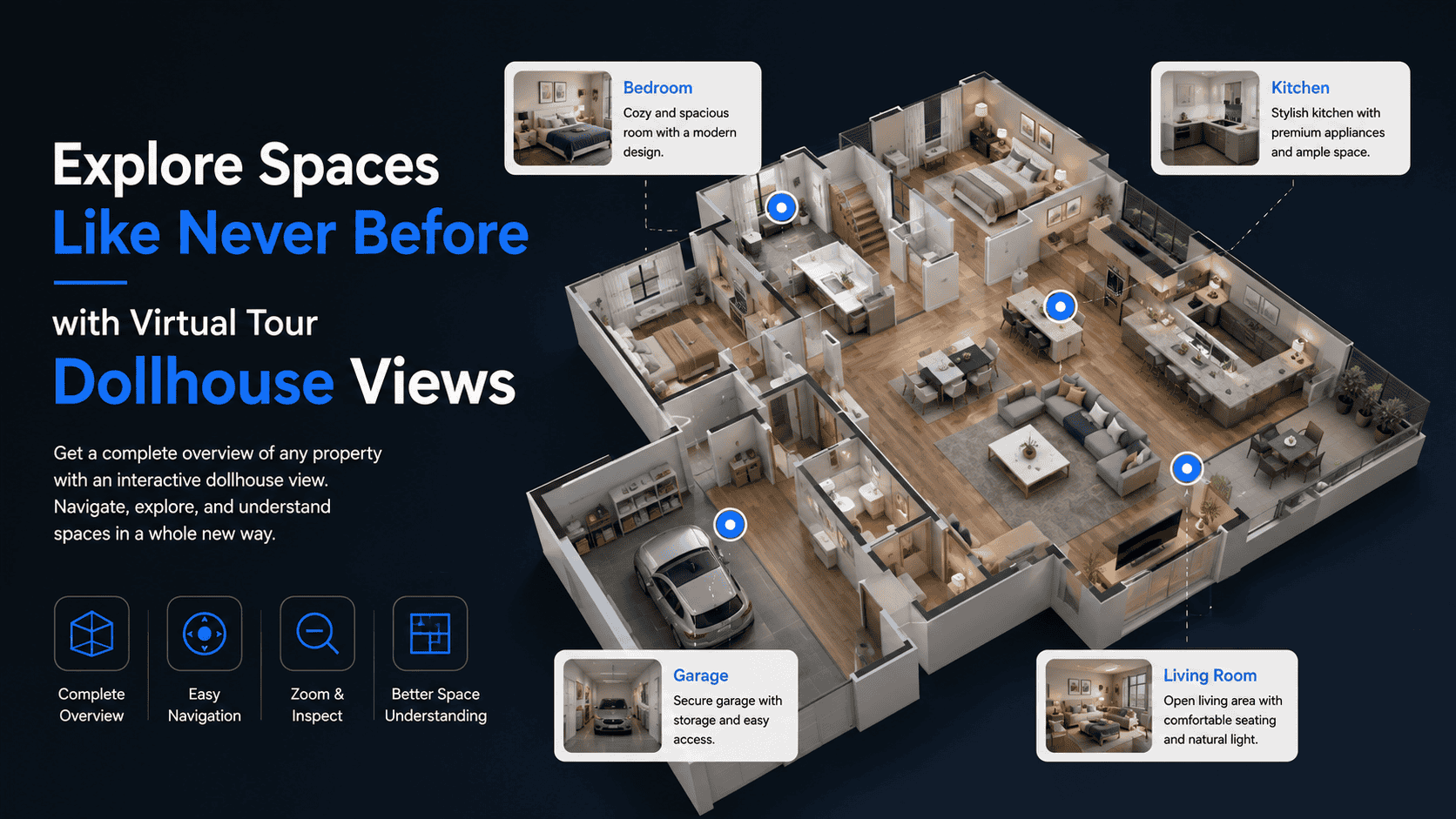
Virtual Tour Dollhouse View: See the Entire Property in One Interactive 3D View
When exploring a property online, users don’t just want to walk through rooms—they want to understand the entire layout. This is where the Virtual Tour Dollhouse View becomes a game-changer. It presents a complete 3D overview of a space, helping users instantly grasp how rooms, floors, and areas connect.
What Is a Virtual Tour Dollhouse View?
A dollhouse view is a 3D, cutaway-style model of a property created from 360° images. It looks like a miniature version of the entire space, allowing users to rotate, zoom, and click into any room.
Instead of navigating blindly from room to room, users can visually understand the structure first—and then jump directly to the area they want to explore.
How Dollhouse View Works in a Virtual Tour
Dollhouse view is created by:
- Capturing 360° images of all rooms
- Connecting them into a spatial 3D model
- Generating an interactive overview
- Linking each room to its walkthrough scene
Users can switch seamlessly between dollhouse view, floor plan view, and walkthrough mode.
Key Features of Virtual Tour Dollhouse View
🏠 Full 3D Property Overview
View the entire property in one interactive model.
🔄 Rotate, Zoom & Explore
Users can inspect the layout from any angle.
🚪 Click-to-Enter Rooms
Jump directly into specific rooms with one click.
🏢 Multi-Floor Visibility
Clearly displays multiple floors and levels.
🧭 Better Orientation
Helps users instantly understand space flow.
Why Dollhouse View Matters
✔ Faster Understanding of Layout
Users see how everything connects—no confusion.
✔ Improved User Engagement
The 3D model encourages exploration.
✔ Better Decision-Making
Ideal for buyers, renters, and planners.
✔ Premium Experience
Adds a modern, professional feel to virtual tours.
✔ Reduced Drop-Off Rates
Users stay longer when navigation is intuitive.
Use Cases for Dollhouse View
- Real Estate: Homes, apartments, villas, commercial spaces
- Hospitality: Hotels, resorts, serviced apartments
- Corporate Offices: Workspace and department layouts
- Architecture & Design: Space planning and visualization
- Education: Campus buildings and facilities
Dollhouse View vs Floor Plan
| Feature | Dollhouse View | Floor Plan |
| View type | 3D cutaway | 2D / 3D |
| Realism | High | Medium |
| Interaction | High | Medium |
| Layout clarity | High | Very High |
| Visual impact | Very Strong | Moderate |
Best Practices for Using Dollhouse View
- Capture all rooms for complete coverage
- Keep spaces clean to improve visual clarity
- Optimize file sizes for fast loading
- Label rooms for easy navigation
- Combine with walkthrough and floor plan views