
Make Your 360° Tours Interactive with Virtual Tour Hotspots
Hotspots turn a simple virtual tour into an interactive experience.
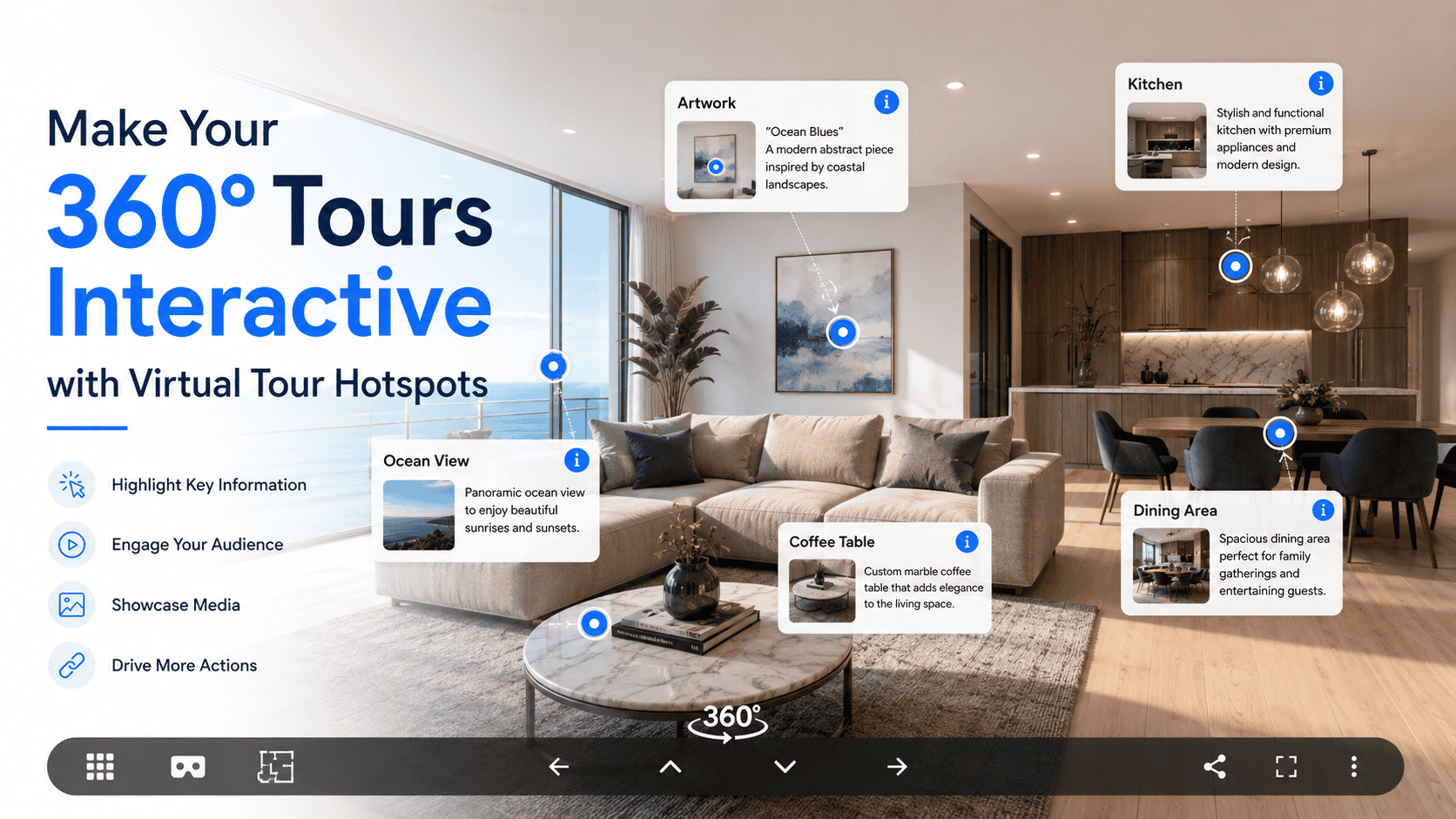
Virtual Tour Hotspots: Make Your Virtual Tours Interactive and Engaging
Introduction
A virtual tour becomes truly powerful when users can interact with it. This is where Virtual Tour Hotspots play a key role. Hotspots allow users to click on specific points inside a virtual tour to explore rooms, view information, watch videos, or take action.
In this blog, we’ll explain what virtual tour hotspots are, how they work, and why they are essential for creating engaging and SEO-friendly virtual tour experiences.
What Are Virtual Tour Hotspots?
A virtual tour hotspot is a clickable or tappable interactive element placed within a 360° image or virtual tour scene. When users click a hotspot, it triggers an action such as:
- Moving to another room or scene
- Showing text or images
- Playing audio or video
- Opening links or contact forms
Hotspots turn a simple virtual tour into an interactive experience.
How Hotspots Work in Virtual Tours
Hotspots are created by:
- Selecting a location inside the tour scene
- Assigning an action (navigation, info, media, link)
- Customizing icons or labels
- Publishing the tour for user interaction
Users simply click or tap the hotspot to explore more.
Types of Virtual Tour Hotspots
🧭 Navigation Hotspots
Help users move between rooms or scenes.
ℹ️ Information Hotspots
Display text, images, or tooltips about objects or areas.
🎥 Media Hotspots
Play videos, audio guides, or presentations.
🛒 Product & CTA Hotspots
Show product details, pricing, or call-to-action buttons.
🔗 External Link Hotspots
Redirect users to websites, booking pages, or contact forms.
Why Virtual Tour Hotspots Matter
✔ Better User Engagement
Users interact instead of just viewing.
✔ Easy Navigation
Move through large spaces effortlessly.
✔ Clear Information Delivery
Details appear exactly where needed.
✔ Higher Conversions
CTA hotspots drive inquiries and sales.
✔ Professional Look
Creates a modern and polished tour experience.
Use Cases for Virtual Tour Hotspots
- Real Estate: Room navigation, property details
- Hospitality: Amenities, room features, booking links
- Retail: Product info, buy-now actions
- Education: Campus navigation, department details
- Museums: Artwork descriptions and audio guides
- Corporate Offices: Team info and service highlights
Hotspots vs Static Virtual Tours
| Feature | Hotspots | Static Tours |
| Interactivity | High | Low |
| User engagement | High | Medium |
| Navigation ease | Easy | Limited |
| Information access | Contextual | Separate |
| Conversion potential | Strong | Low |
Best Practices for Using Hotspots
- Keep hotspot icons clear and consistent
- Avoid overcrowding scenes
- Place hotspots on relevant objects
- Add labels or tooltips for clarity
- Optimize for mobile users