
How Dynamic Embed Makes Virtual Tours More Interactive and Flexible
Adding a virtual tour to your website should feel smooth and natural—not like an external add-on. This is exactly what Virtual Tour Dynamic Embed is designed to do. Instead of fixed-size iframes or redirects, dynamic embeds allow virtual tours to blend perfectly into your web pages.
What Is a Virtual Tour Dynamic Embed?
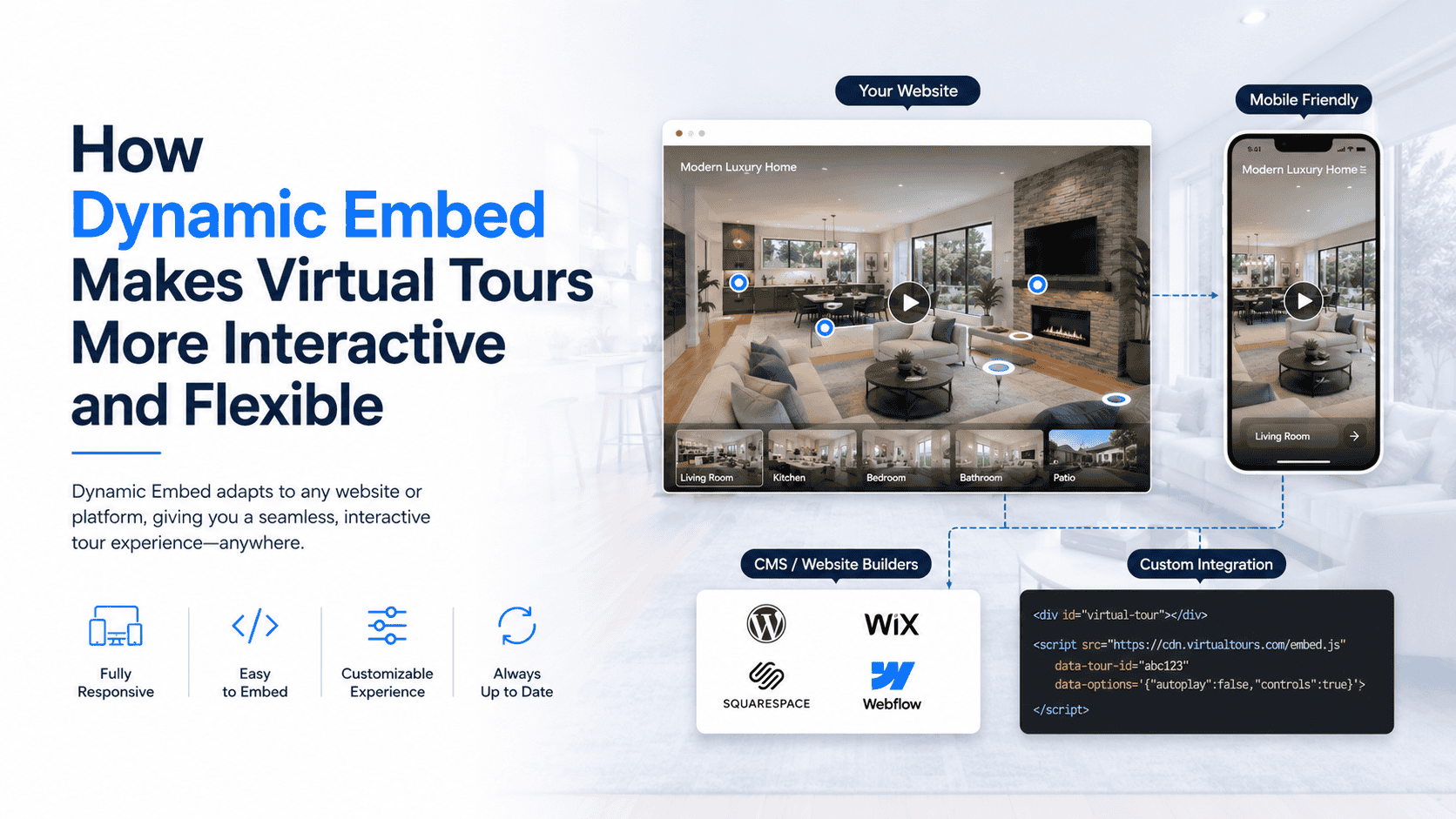
A dynamic embed lets you place a virtual tour directly inside a webpage where it behaves like native content. The tour automatically adapts to the page layout, resizes responsively, and integrates smoothly with other page elements.
Unlike traditional embeds, dynamic embeds feel like part of the website—not an external window.
How Dynamic Embed Works
Dynamic embeds typically:
- Auto-resize based on screen size and layout
- Adjust smoothly for desktop, tablet, and mobile
- Load tours inside CMS pages without redirects
- Support autoplay or interaction-based loading
- Fit seamlessly within landing pages and blogs
This ensures a consistent experience across all devices.
Key Features of Virtual Tour Dynamic Embed
📐 Responsive Auto-Resize
The tour adapts automatically to any screen or container size.
🔗 Seamless Website Integration
Appears as a natural part of the page layout.
▶ Autoplay & Smart Loading
Supports autoplay (where allowed) or click-to-play behavior.
🧩 CMS-Friendly
Works smoothly with WordPress, custom CMS, and headless platforms.
⚡ Faster Engagement
Users start exploring without leaving the page.
Why Dynamic Embed Matters
✔ Better User Experience
No interruptions or layout breaks.
✔ Higher Engagement Rates
Users stay longer when tours feel native.
✔ Clean Page Design
No scroll bars or fixed-size frames.
✔ Easy Content Updates
Update the tour without changing embed code.
✔ Professional Presentation
Creates a modern and polished website experience.
Use Cases for Virtual Tour Dynamic Embed
- Real Estate: Property tours embedded directly on listing pages
- Hospitality: Hotel room tours inside booking pages
- Corporate Websites: Office tours on About Us pages
- Education: Campus tours within admissions pages
- Retail: Product tours embedded in product detail pages
Dynamic Embed vs Traditional Embed
| Feature | Dynamic Embed | Traditional Embed |
| Responsive behavior | Yes | Limited |
| Layout flexibility | High | Low |
| Autoplay support | Yes | Limited |
| CMS compatibility | Excellent | Moderate |
| User experience | Smooth | Basic |
Best Practices for Using Dynamic Embed
- Place embeds inside responsive containers
- Enable lazy loading for better performance
- Avoid multiple autoplay tours on one page
- Test across devices and browsers
- Optimize tour media for faster loading